
Operator dashboard
Overview
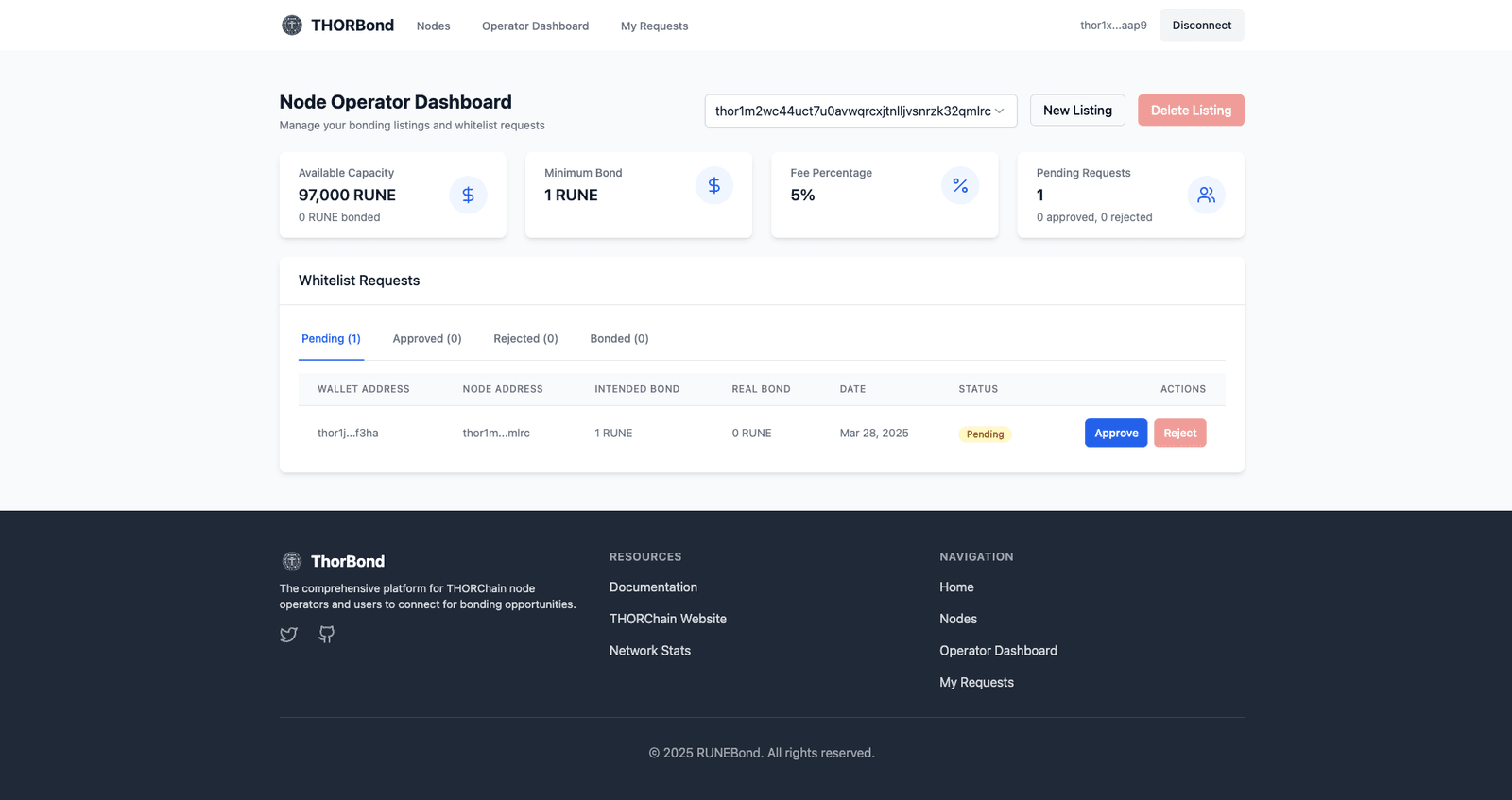
Section titled “Overview”The Operator Dashboard gives node operators a single place to review their node listings, the whitelist bonding requests submitted by users who want to bond RUNE, and the conversations linked to each node.
Even though the dashboard is read-only today, RUNEBond is working on a dedicated application built around the node operator’s needs. If we detect a real need for a capability, we will add it — so tell us what would actually help. Join our Telegram to follow the progress and share feedback.
You can still operate comfortably without exposing the node address:
- Memos: every action has a documented memo format, so it can be signed from wherever the node keys live. See List your node for the full reference.
- Moderators: secondary, non-sensitive actions (chat replies, listing updates) can be delegated to a separate address via Node moderators, keeping the node address offline.
Sections of the dashboard
Section titled “Sections of the dashboard”- Node Profile — public information shown to bond providers for each of your listed nodes.
- Finder Fee Vault — balance and top-ups of the vault used to settle finder fees.
- Whitelist Requests — incoming bonding requests, grouped by status.
- Chats — on-chain conversations between the node and bond providers.
- Node Bidding — positioning of your node in the premium listing system.
The dropdown in the top right lets you switch between all nodes and any individual node you control.
Whitelist request statuses
Section titled “Whitelist request statuses”Requests submitted to your nodes are grouped into four tabs:
🟡 Pending — the request has been submitted by a user but has not been reviewed yet. The operator must accept it before the user can delegate RUNE to the node. Accepting it means sending a transaction to the THORChain network that authorizes the user’s address to bond with the node.
🟢 Approved — the authorization transaction has already been issued. It is now the user’s turn to perform the delegation.
🔴 Rejected — the operator does not want to accept that user, or too much time has passed, so the request is discarded.
🔵 Bonded — the user has already executed the delegation transaction and the bond is active.
Each row shows the requester’s wallet address, the node address, the intended bond (what the user committed to delegate), the real bond currently delegated, the request date and how long it has been waiting.